
What a night.
Share it on screen.
Guest photos and messages on the big screen. You decide what appears.
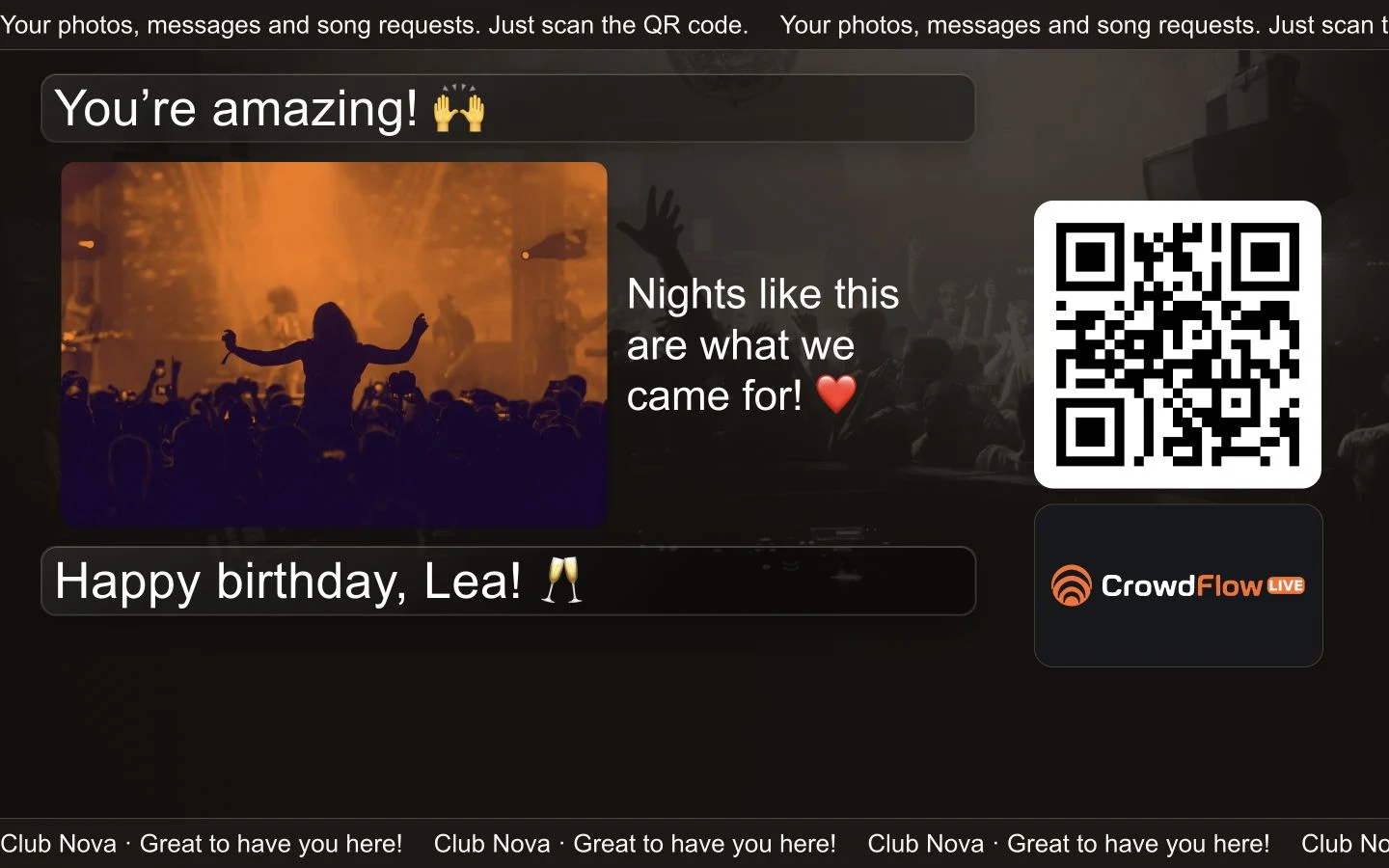
Your photos.
Together on the big screen.
Up to six photos with one shared caption.
- Photos and messages on the same wall
- Short captions beside the photos
- New posts move up from the bottom
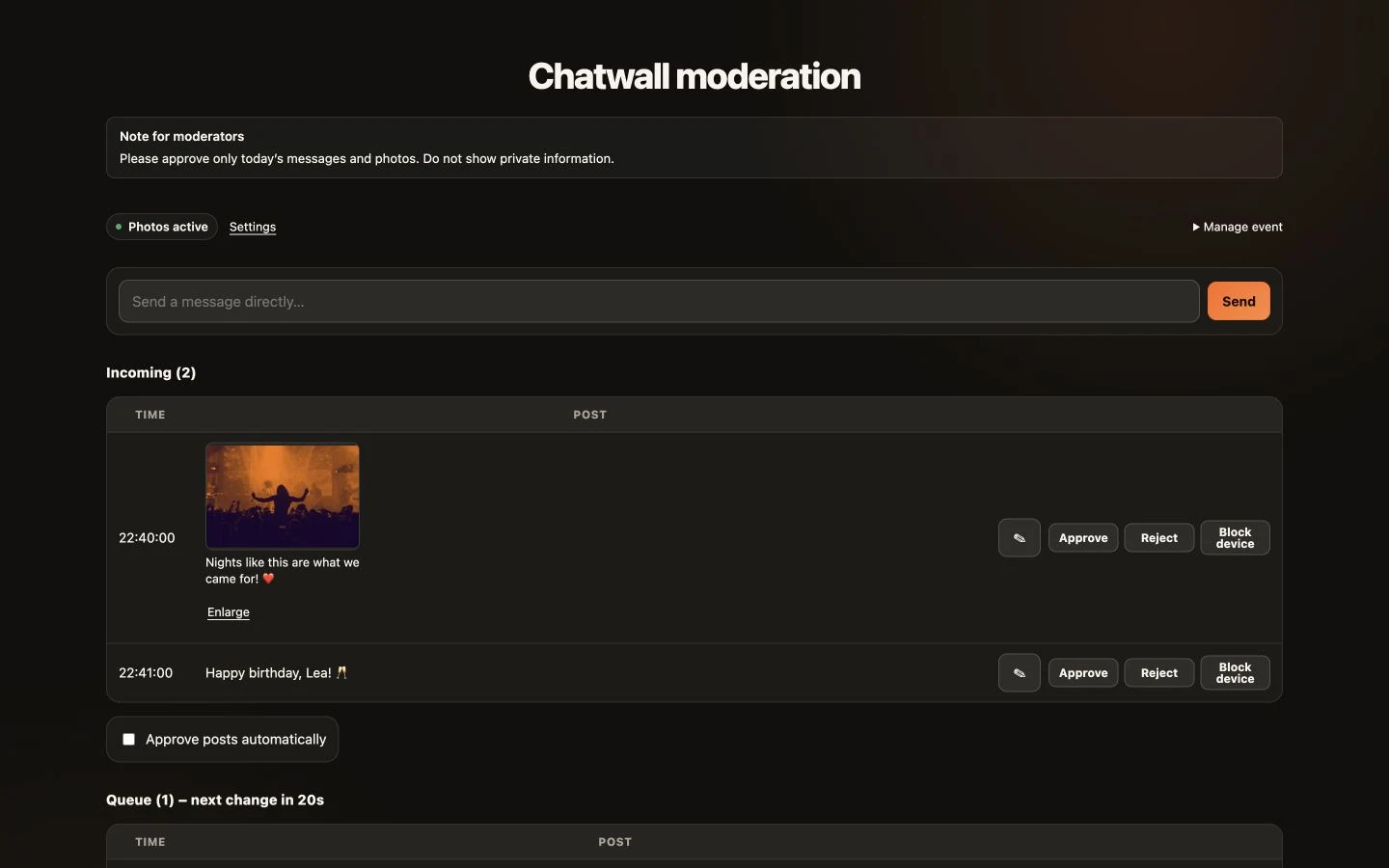
You decide
what everyone sees.
Review posts or approve them automatically, with your own moderation guidelines.
- Accept, reject or edit posts
- Your own instructions for the DJ and moderators
- Word filters and temporary device blocks
Set up. Make it yours. Enjoy the night.
One QR code for both
Offer song requests and the photo wall together or separately.
Use the screens you already have
Open it in a browser on a TV, projector or LED wall. Internet connection required.
Make the design yours
Five layouts for landscape and portrait screens, with your own colours, images and banners.
Give moderators clear guidance
Leave a short briefing directly in the moderation view.
Let guests vote
A question on screen, answers via QR code. End the poll with a timer or manually.
Stay in touch after the event
After posting, guests can choose to leave their contact details. You manage, copy or export them in your settings.
Multiple floors, one account
With Enterprise: separate request lists and chatwalls for each floor, with access for the DJs you choose.
Accept tips
Guests can leave you a tip without requesting a song. Tips are charged immediately after payment confirmation.
A few quick answers.
Are photos and messages public straight away?
Only if you enable automatic approval. Otherwise, you review each post before it appears.
Does automatic approval also check what's in photos?
No. Use manual approval if you want to review photos before they appear.
Are the photos kept as a permanent album?
No. Photos are removed after 16 hours at the latest, or sooner if you start a new event or delete the posts using “Remove all messages”.
Which plans include Chatwall?
Chatwall and Enterprise. Enterprise also includes Archiv and music analytics.
Can guests open the page without an app?
Yes. The QR code opens the guest page directly in their browser. No app or guest account is needed.
Can I collect contacts through the Chatwall?
Yes. Guests can leave their name and email or phone number, plus an optional website and message. Email addresses are confirmed; phone numbers remain unverified. You can manage, copy and export contacts in settings. Automatic CRM integration is not included.
Give your night
a shared screen.
Choose the right plan for messages, photos and your own display.